Before you paste anything
Quick confession: years before I built Majorka, I ran my first product analysis on some other tool, pasted a link, saw a big number, and ordered 50 units of a neck massager that nobody wanted. The tool wasn't wrong, I just didn't know what I was looking at. Honestly, that mistake is half the reason this product exists. So this walkthrough isn't really about which buttons to click. It's about knowing what the screen is telling you once you do.
You need exactly one thing to start: an AliExpress product link. Any link. If you don't have a candidate yet, open the Products tab and grab something from the trending list, for learning purposes it honestly doesn't matter if it's a good product. A bad product is actually a better teacher.
Practice before you spend the analyses
Your plan gives you a fixed number of product analyses each month. Spend a few on products you already know the answer for before you spend them on real candidates. The reading skill transfers; the credits don't.
The walkthrough, click by click
- 1
Copy the full product URL from AliExpress
The whole thing, tracking junk and all, we clean it up on our end. Mobile share links work too. If you're on the app, tap Share and then Copy Link.
- 2
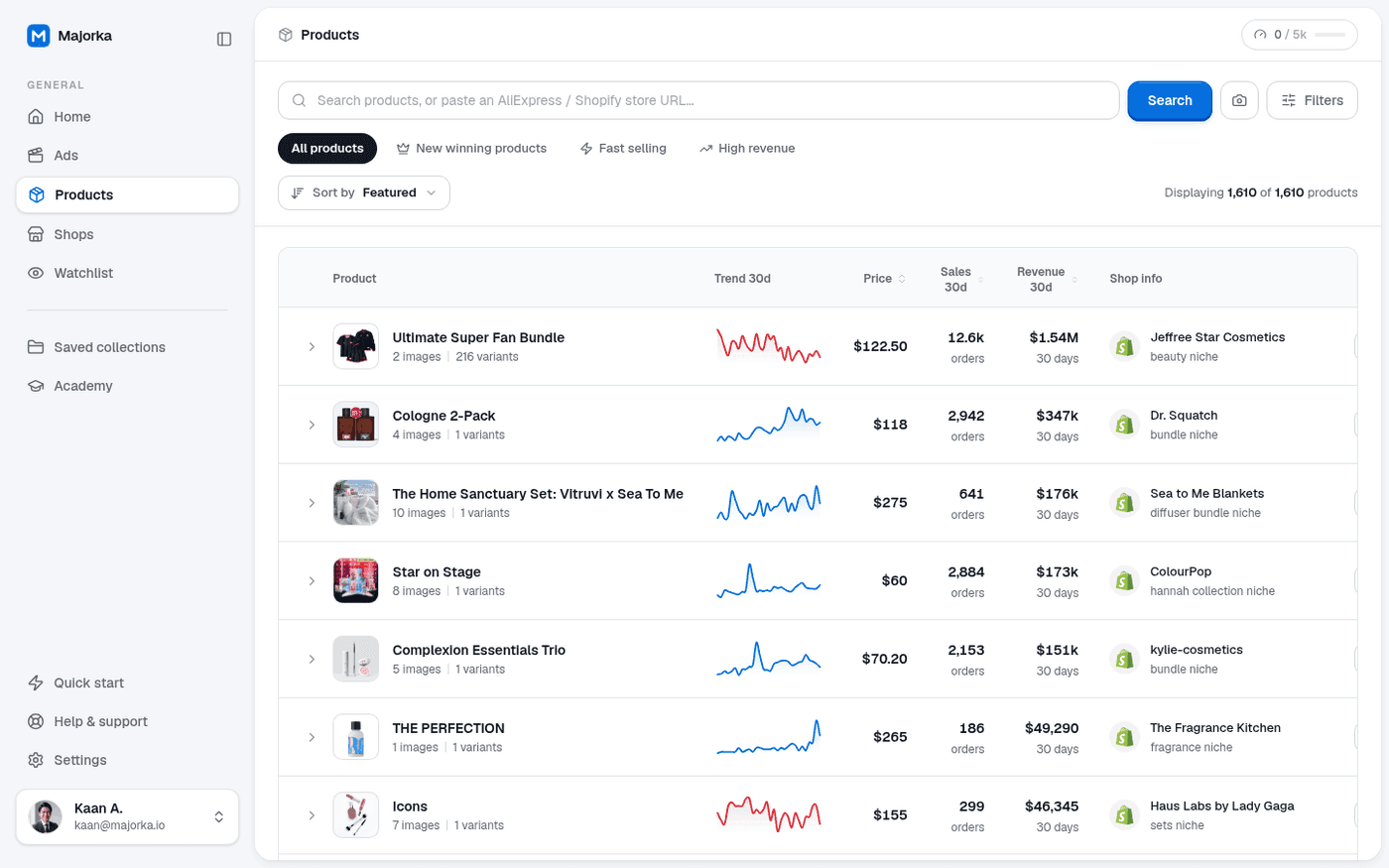
Paste it into the search bar on the Products page
The bar auto-detects that it's a link rather than a keyword and switches to analysis mode. You'll see the product photo appear as confirmation before anything runs.
- 3
Hit Search and wait about 20 seconds
We're pulling 24 months of order history, every variant's individual sales, review timing, and destination countries. It's a lot of data. Go get water.
- 4
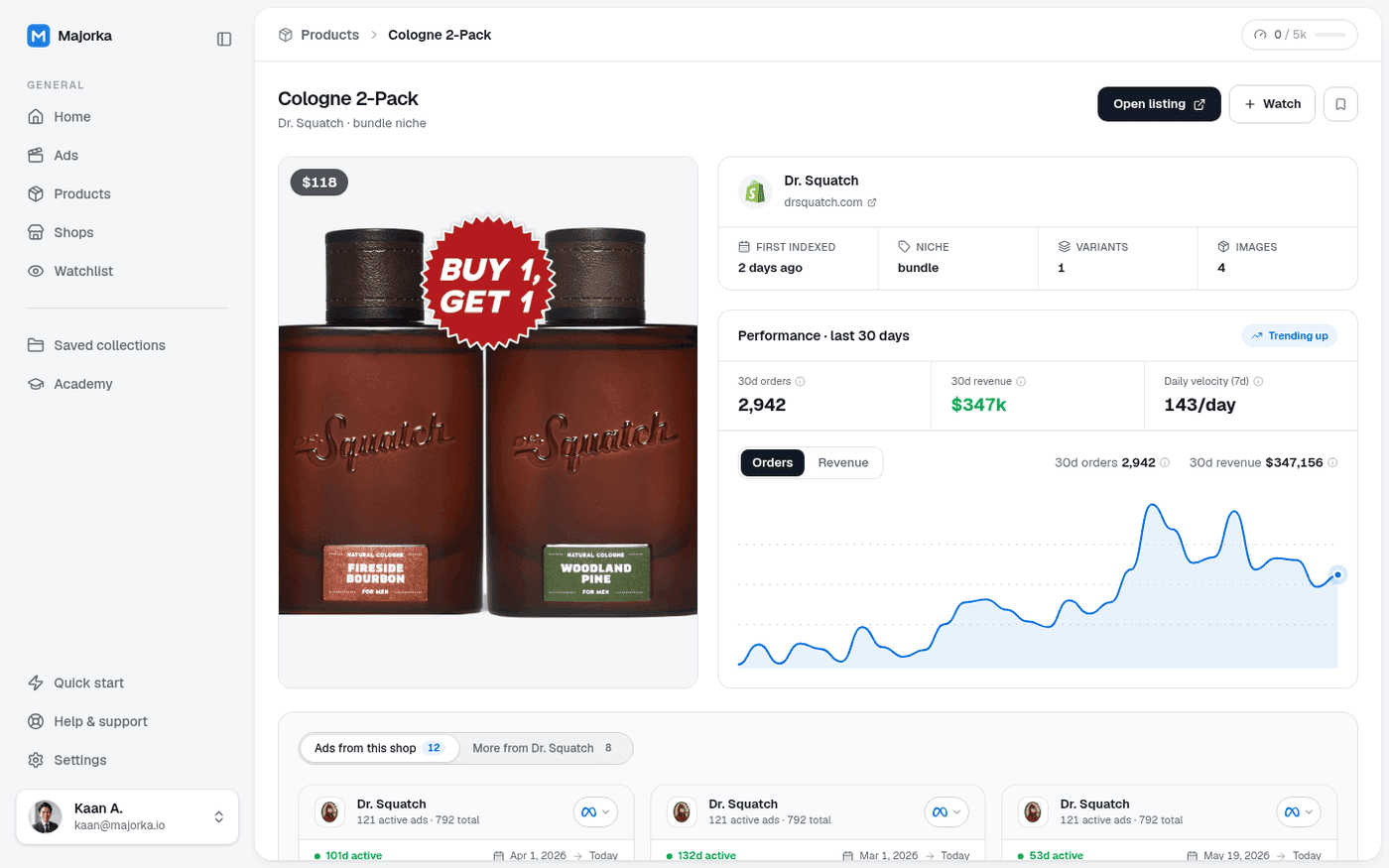
Look at the curve shape FIRST, before any number
Cover the totals with your hand if you have to. Is the line rising, flat, or falling over the last 8 weeks? That one glance decides more than everything else combined.
- 5
Then check the verdict panel
The score compresses demand velocity, competition, margin room, and timing into one number. Above 75 with a rising curve: worth a serious look. Below 50: close the tab, no matter how much you love the product.
- 6
Open the variant breakdown before you leave
This is the step everyone skips, and it costs them real money. More on that below.
The two steps everyone skips
First: the variant breakdown. I once watched a user celebrate a product doing 4,000 orders a month, build his whole store around the black version, and the data was right there showing 86% of orders were the white one. He found out from his ad account six hundred dollars later. Click the variants tab. It takes eight seconds.
Second: the destination mix. If 70% of orders ship to the country you were planning to target, you're late, the market's already being served. The gold is a product surging in Germany while nobody's touched the US yet. That's a gap you can drive a truck through.
Don't average your way into a bad call
Two mediocre sub-scores don't cancel out one great one. If competition is redlined, the product is a knife fight regardless of how pretty the demand curve looks.
How to read your first verdict without fooling yourself
Here's the uncomfortable truth about research tools, ours included: they're mirrors. If you come in wanting the product to win, you'll find a way to read the screen as a yes. I've done it. Everyone's done it.
- Write down your call BEFORE you run the analysis: 'I think this is a scale.' Then check. Being wrong in your notebook is free; being wrong in your ad account isn't.
- If you catch yourself saying 'yeah but' more than twice while reading the results, the data already said no.
- Run the same analysis again in a week. A real trend survives seven days. A blip doesn't.
“The tool takes thirty seconds. Being honest with yourself about what it says, that's the part that takes practice.”
That's the whole routine. Paste, wait, shape first, verdict second, variants and destinations before you leave. Do it ten times and it becomes muscle memory. Do it fifty times and you'll start disagreeing with the verdict occasionally, and being right. That's when you know it clicked.

Written by
MaximusFounder of Majorka
Built Majorka after years of running his own stores and being tired of guessing. Every post here comes from real tests, real ad spend, and real mistakes he paid for so you do not have to.
Share article
Put this playbook to work in 30 seconds
Paste any AliExpress link and see the order curve, velocity, and verdict for yourself. Plans from $39/mo.
See it in MajorkaOrders · 24 wks
Scale23,491