[ Store profile ]
One page per store, read from its own public surfaces
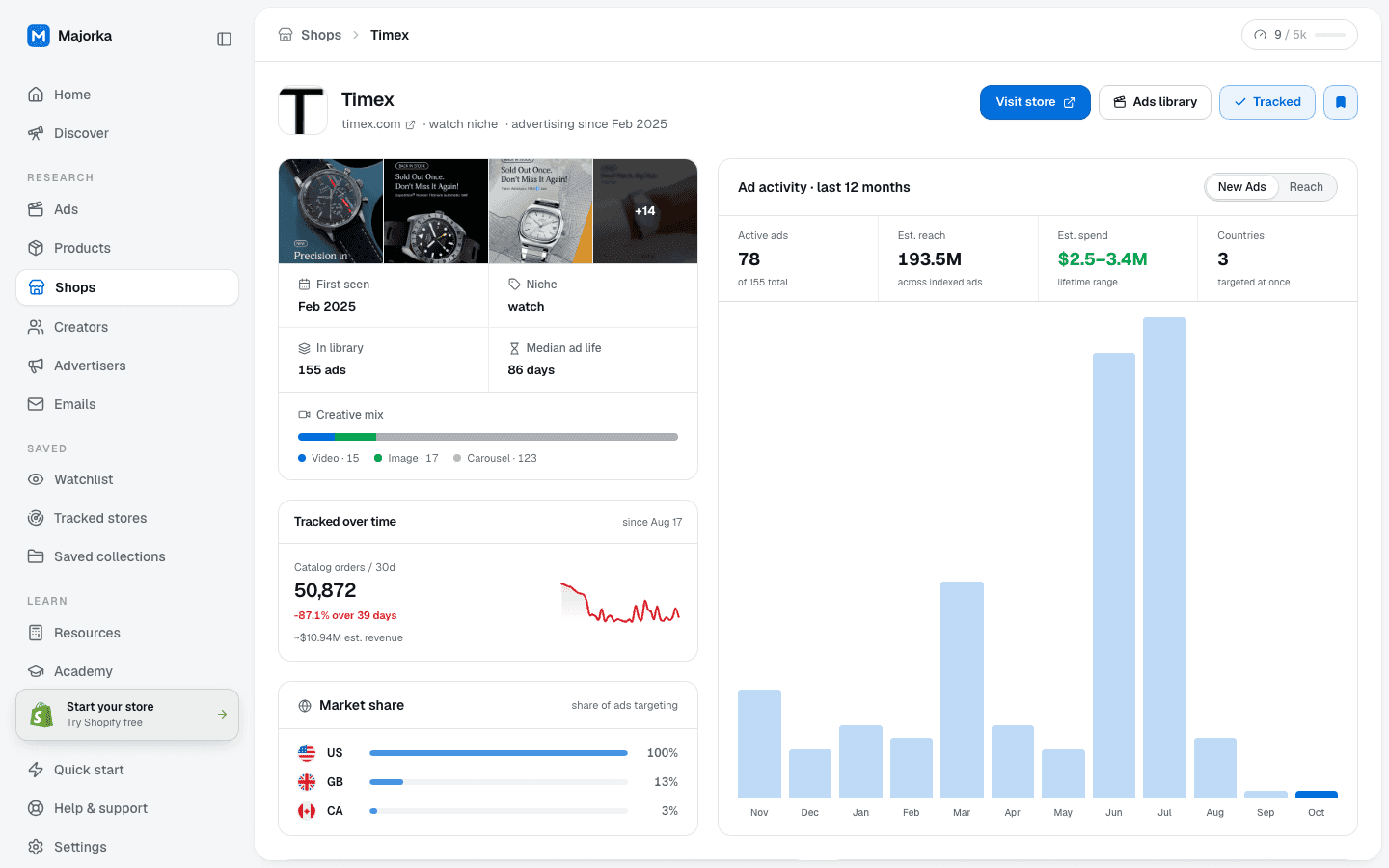
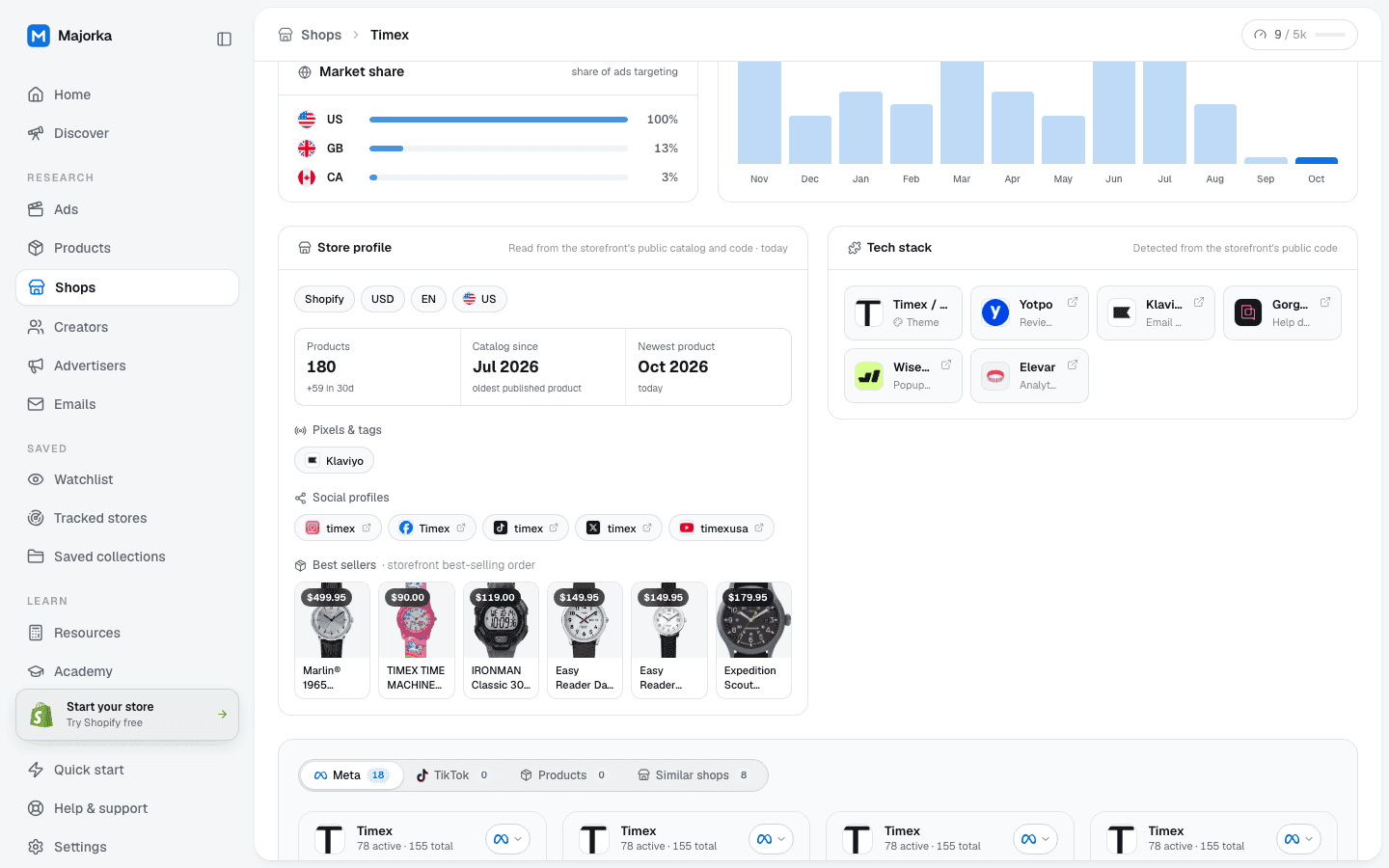
Platform, currency, locale, catalog size and age, best sellers, pixels, socials and tech stack sit above the store’s twelve-month ad chart, its Meta ads, its products and the shops that run the same playbook.
[ Core capabilities ]
What Store profile does
Platform, base currency, locale and country, products with the 30-day adds, catalog since, newest product, pixels and tags, social profiles and best sellers.
[ How you use it ]
Store profile, in four steps
- 01
Open a store
From the directory, an ad card’s domain, a product’s shop info or the tracker. The header shows niche and advertising since; the panel below shows what the storefront itself says.
- 02
Check the basics
Platform, currency and country tell you which market the store is built for. Catalog since and the 30-day adds tell you whether it is growing or coasting.
- 03
Read what sells
Best sellers appear in the storefront’s own best-selling order, only when that order could be verified. Pixels show how the store measures, socials show where it posts.
- 04
Follow or compare
Track store sends every new launch to your tracker. The Similar shops tab lists the stores with the same niche, markets and ad volume.
[ What’s measured vs estimated ]
Every number on this surface, with where it comes from
Where there is no measurement, the product shows nothing rather than a guess. The labels below are the ones on screen.
- MeasuredA count or a value read from the source.
- EstimatedDerived where the platform discloses nothing; labelled est.
- ModelledComputed from a stated method; carries an info hint.
- Shopify / WooCommerce, currency, locale, country
- Read from the storefront. Base currency and registered country come from the shop’s public meta.json; when only the geo-localised storefront values are available the panel says so.
- Products
- Counted from the public products feed. The walk is capped, so a large catalog is shown as a lower bound such as 1,500+, never rounded up.
- Catalog since
- The oldest published product we could establish. It is not a founding date.
- Best sellers
- Shown only when the collection page returned a different order for a control sort, which proves the theme honoured best-selling. Otherwise the panel says the order could not be verified.
- Pixels & tags, Social profiles, Tech stack
- Detected from the storefront’s public code, with a 14-day freshness window.
- Est. reach, Est. spend
- Sums of per-ad estimates across the indexed ads; spend is a modelled range.
- Tracked over time (orders, revenue)
- Daily snapshots of the products we index for the domain; orders are modelled from listing data and revenue is a sum of per-product estimates.
[ Keep going ]
Related features and free tools
- FeatureShopsA directory of Shopify stores built from the Meta ads they actually run. Sort by active ads, 30-day growth, reach or catalog size, cut it with the segments below, and open any store for the full picture.Open
- FeatureSimilar shopsFor any store, the advertisers that share its niche, its target markets and its ad volume, scored by a fixed formula you can read, with the reasons that scored printed on each card.Open
- Free toolShopify theme detectorTheme name, schema and version, read from the storefront.Open
- Free toolShopify product exporterAny public product feed as a CSV, one row per variant.Open
Because the order could not be verified. Many themes return the same product grid whatever sort is requested, so the default order may or may not be best-selling. We only publish the list when a control fetch with a different sort produced a different sequence.
It is exact up to the walk cap. Past that it is reported as a lower bound with a plus sign rather than an estimate.
The publish date of the oldest product we could find, read from the feed or from the storefront’s oldest-first sort when the walk was capped. It tells you how long the catalog has existed, not when the company was founded.
Catalog prices are always in the shop’s base currency. A symbol is attached only when meta.json supplied the currency; otherwise the number is shown with the code.
The panel shows when it was read and is re-read when stale. If the storefront cannot be fetched the panel says it is unavailable instead of showing old data as new.